
“Did that rent come in?”
A payment question should not mean searching messages and spreadsheets.
See rent activity alongside the tenant, lease and property.
Military veteran owned & operated
Property management software for the hands-on landlord.
For hands-on owners managing their own rentals. Keep rent questions, repair work and lease paperwork connected to the right property, so you know what needs attention next.
Start free. Up to 2 properties. No credit card required.

Service. Preparation. Follow-through.
Choose a task to see how the details connect.
Oak Street · Unit 2
Payment due tomorrowKeep the payment record with the tenant and lease. Review what is paid and what still needs a follow-up.
Next step: Review payment status
Illustrative examples, not live account data. Your workspace reflects the records you add.
New · Room Renting
One spare room or several rented rooms—keep each tenant, rent amount and occupancy status organized in OwnerOps One.
OwnerOps One Room Renting
$4.99 / month
Includes up to 3 rooms
Just $1.00 /month for each additional room.
Get started with Room Renting Choose your room count & see detailsMonthly subscription. Cancel anytime. First subscription includes a 7-day trial, then your selected monthly price.
Your daily operations
Give it a place to land before it becomes another thing to remember. OwnerOps One brings the everyday details of your rentals together.
A payment question should not mean searching messages and spreadsheets.
See rent activity alongside the tenant, lease and property.
A small request is easy to lose when the details live in separate texts.
Keep requests, photos and repair progress in one place.
Renewals and tenant questions arrive whether your paperwork is ready or not.
Find the lease, key dates and unit details together.
You don’t have to organize the whole portfolio today.
Start with one address and the next thing you need to do.
Start with one address, review available county details, then keep rent records, lease documents, repairs and expenses together. Our focus is practical day-to-day rental organization.
Evaluate the workflow with your own small portfolio. Review monthly rent, choose when to send an eligible reminder, and compare recorded expenses before adding more tools.
Managing money and reporting for multiple owners? Verify accounting, bank reconciliation, access controls and migration requirements in a demonstration before switching systems.

Veteran owned.
Built to serve.
The OwnerOps One mission
Our mission is to help independent property owners protect their investment, care for their tenants, and reclaim their time—with clear records, practical guidance, and one place to manage the work.
Rooted in military service, we bring a mindset of preparation, accountability, and follow-through to everyday rental management. You bring the commitment to your properties. We help you stay organized for what comes next.
First mission: one property
No need to gather every lease or rebuild every spreadsheet before you begin.
Get a workspace for up to 2 properties. No credit card needed.
Save, then review available county information and the suggested property photo.
Add a tenant or lease, record rent, or track a repair. Add the rest when you’re ready.
County coverage varies. Review and correct imported details; replace the photo anytime. Optional setup steps can be skipped.
Watch the actual app
Enter the address, skip optional details, and save. Review any county information returned. The recording also shows county details for an existing property.
Start with my property — freeUp to 2 properties. No credit card required.
Your mission map
Follow the customer signup path and explore the proposed tenant onboarding sequence. Open either chart full size, read its text steps, or keep a printable PDF.
Current signup path + optional next steps
From creating your landlord account to saving your first property. Basic setup ends with a usable workspace; add other records when you are ready.
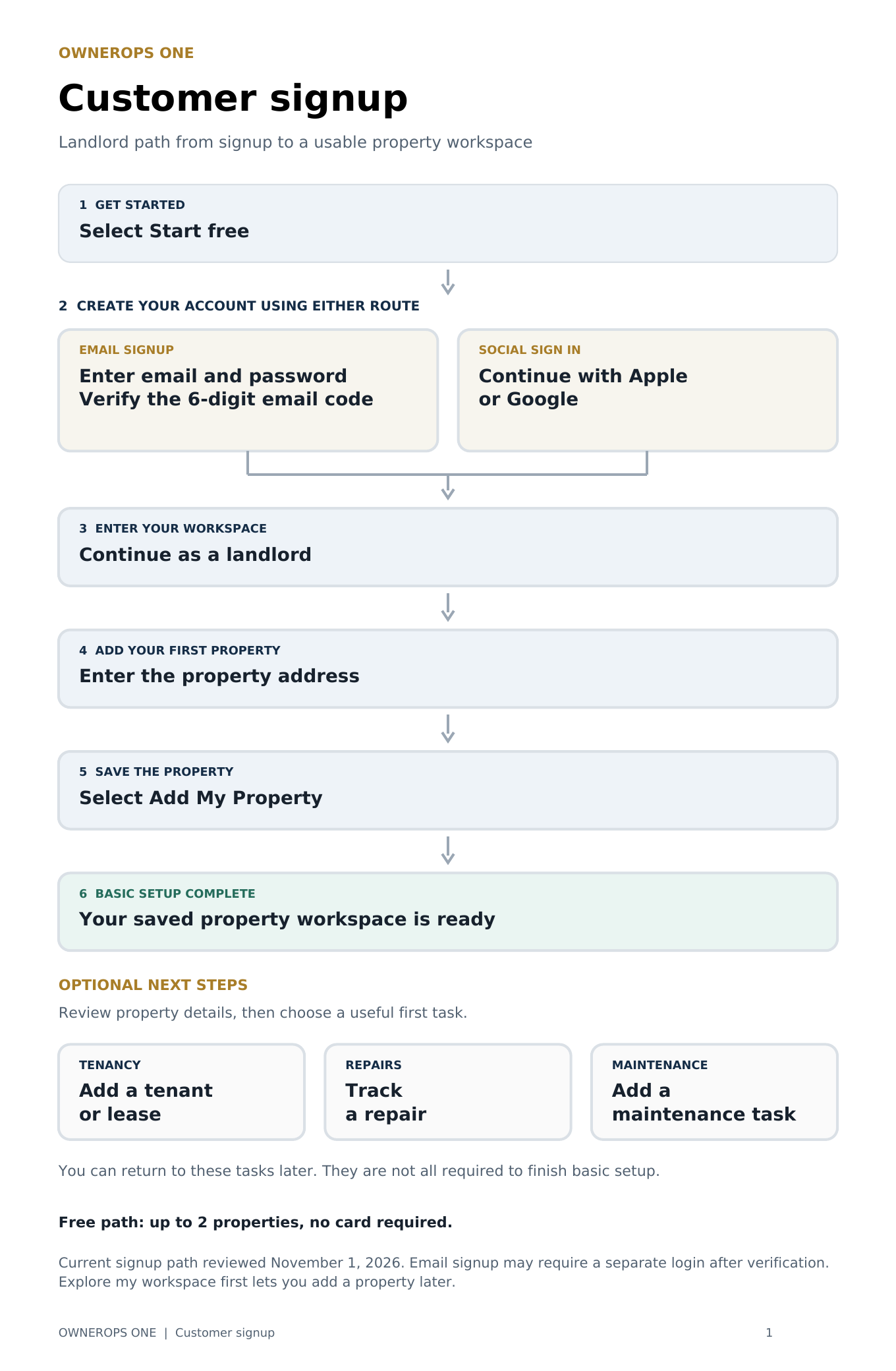
Signup path reviewed November 1, 2026. This guide describes the free landlord path; paid plans have a separate checkout.
Proposed workflow
A planning flow chart showing landlord and tenant responsibilities from the property invitation email through move-in preparation. This is a proposed sequence, not a verified end-to-end app walkthrough.
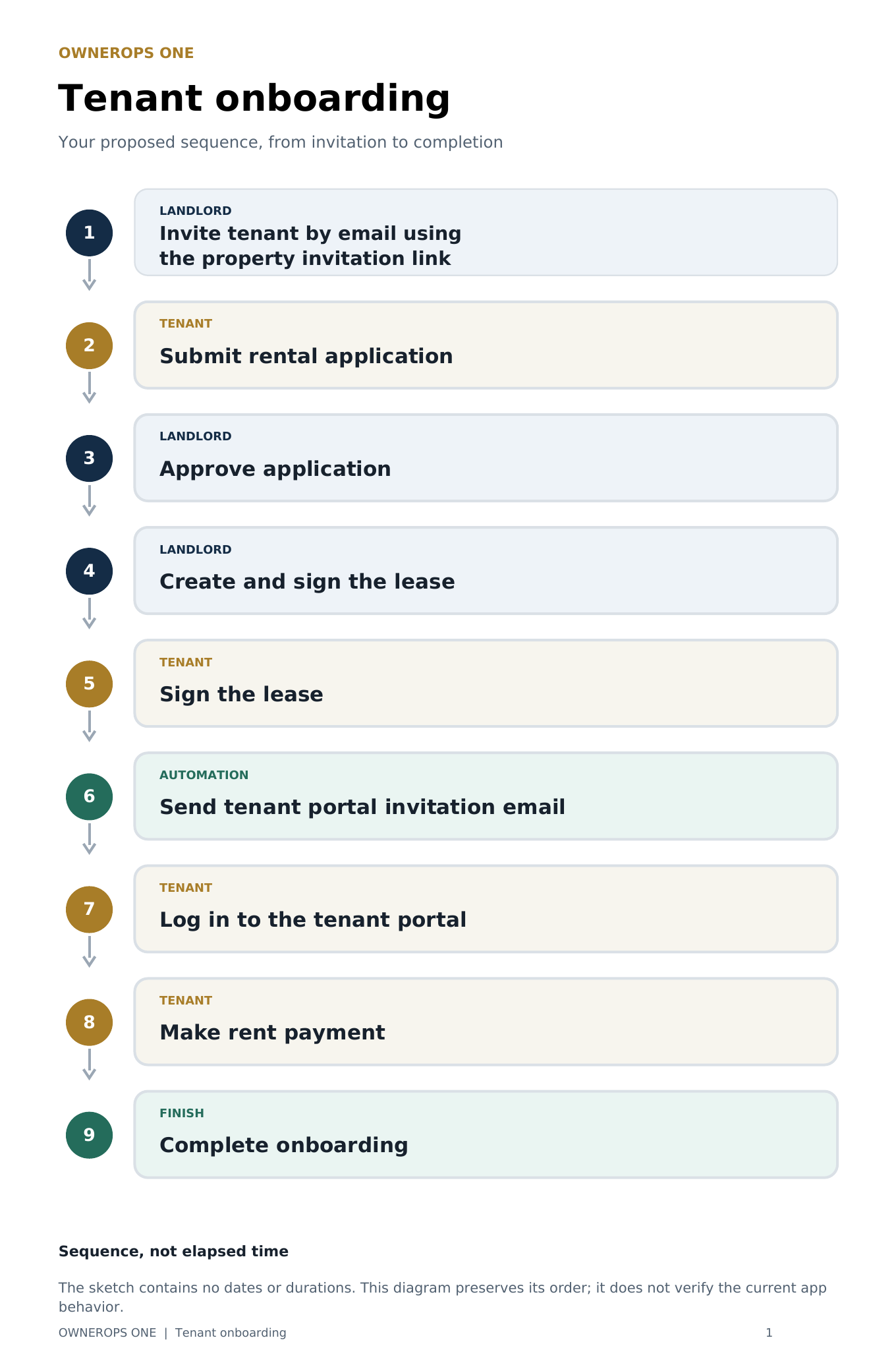
The tenant chart preserves the proposed sequence, not elapsed time. It does not verify current app automation, payment processing or a required completion gate.
Made for the way you work
Add a property, then review available county details and a suggested photo. Correct or replace them anytime.
Explore featureKeep tenants, applications, leases and e-signatures associated with the right property and unit.
Explore featureReview rent activity, record expenses and keep receipts with the property they belong to.
Explore featureTrack maintenance, inspection findings and repair history. Review what still needs attention.
Explore featureAsk AI about likely causes, next steps and estimated costs. Use the guidance to prepare for the work or a professional.
Explore featureUse your phone, tablet or computer to find property details and keep the next task moving.
Explore featureAvailability and usage limits vary by plan. AI provides guidance and estimates; professional assessment may be needed.
Start small. Choose what fits.
Try the Free plan with your own records. Move to a paid plan when you need more capacity and tools.
Try it with your own property
$0 / month
No credit card required.
Up to 2 properties
More room for your rental business
$9 first month
Then $ 19 /month until canceled.
First-time paying landlord customers only. $9 charged at checkout; no additional free trial.
Up to 10 properties
Plans are based on properties; a multi-unit building can contain separate unit records. Payment processing and optional services may have separate fees.
More capacity as your portfolio grows. Full prices, limits and signup options are always shown here.
Investment and professional workflows
$29.99 / month
7 -day trial, then $29.99/month until canceled.
Up to 10 properties
Growing portfolios
$49 / month
7 -day trial, then $49/month until canceled.
Up to 50 properties
Larger management businesses
$99 / month
7 -day trial, then $99/month until canceled.
Up to 100 properties
Large portfolios and organizations
$149 / month
7 -day trial, then $149/month until canceled.
Up to 150 properties included
Veteran led. Service first.
OwnerOps One is veteran-owned and built around the practical work of managing properties. Get help with setup, use the free guides, or talk through where to start.
Import your portfolio yourself with Pro and above, or choose a separate one-time Done-for-You setup service. Import reviewed property details, photos and matched maintenance. Tenant, lease and payment details are saved for review only; full tenancy and accounting migration is a separate verified process.
For every guest
A shareable local guide to food, delivery, attractions, groceries and transportation. Choose an area and explore. No sign-in needed.
Open Guest GuidePDFs and Mission Training Videos
Explore 45 short lessons before you sign up. Choose a category or start with one of these guides.
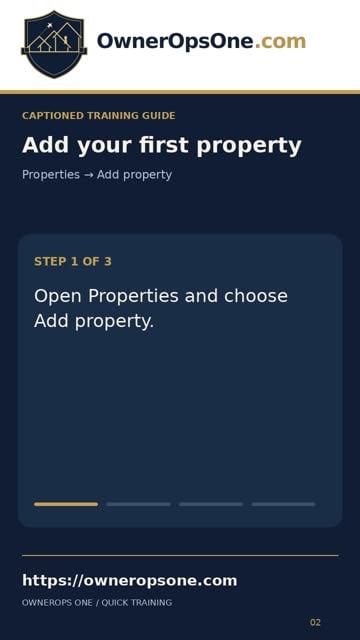 Watch guide
Start with the address, then review the available details.
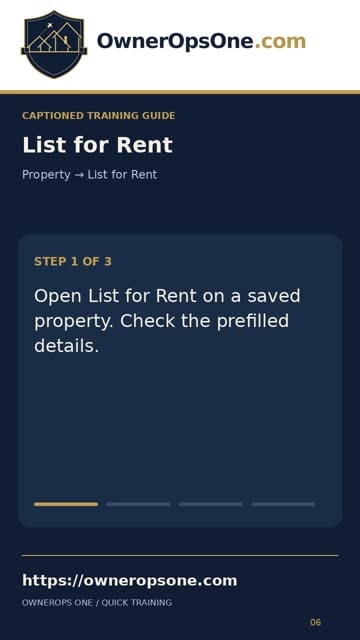 Watch guide
Prepare your listing and understand the separate rental-site submissions.
 Watch guide
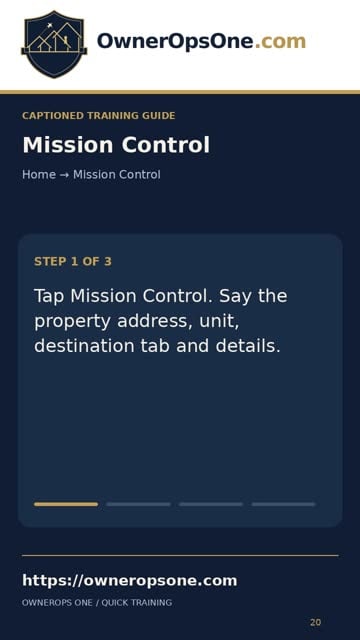
Capture property notes by voice, then review before saving.
No signup required to watch. Includes silent guides and recorded screen demonstrations.
Yes. The Free plan supports up to 2 properties with basic maintenance and expense tracking, limited GIS access and 5 AI questions per month. No credit card is required to create a Free account.
No. Create your account, add one property address and save. Review any available county details and suggested photo. Add tenants, leases and other information as you need it; optional setup steps can be skipped.
On the website, eligible first-time paying landlord customers can start Pro for $9 for the first month, then $19 per month until canceled. The $9 offer is charged at checkout and has no additional free trial. Pro supports up to 10 properties. Annual plans and other paid-plan trials are shown separately; app-store pricing is shown in the app.
Yes. Self-service portfolio import is included with Pro and above. Import reviewed property details, photos and matched maintenance. Tenant, lease and payment details remain saved for review—not active tenancy or accounting records. Optional Done-for-You setup and migration are available as separate one-time services.
Public-record coverage varies by location. Review the suggested information, correct details manually and replace the property photo whenever needed. You can continue managing your property even if a lookup returns no match.
Yes. Call or text OwnerOps One at (724) 400-5888. Free step-by-step PDFs and video tutorials are also available before you create an account.
Explore before signing up
Mission ready. One property at a time.
Add one property today. Give its rent, repairs and paperwork a home, so you can get on with yours.
Start organizing for freeUp to 2 properties. No credit card required.